

We are improving security on our Immigration Service Delivery (ISD) Customer Service portal. Soon, when you sign in, you will be asked to confirm your identity with an extra step.
This extra step is called multi-factor authentication (MFA). The reason we are introducing it is to better protect your personal information and to reduce the risk of fraud.
Soon, when you sign in to the Immigration Service Delivery (ISD) customer service portal, you’ll be asked to confirm your identity using a free app called Microsoft Authenticator.
This update is just for information; you don’t need to do anything right now. You will be guided through the steps when the change happens.
Below are some further details about the upcoming change.
Who This Affects
This update is for everyone who uses the ISD customer service portal.
What Is Multi-Factor Authentication (MFA)?
MFA is a simple two-step process to confirm who you are. When it is implemented, you will be required to:
- Enter your username and password as usual.
- Confirm it’s really you by using the Microsoft Authenticator app.
The Microsoft Authenticator app is trusted and widely used by public services in Ireland and across the EU.
Using the Microsoft Authenticator App for the first time
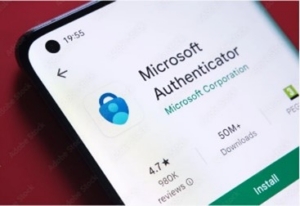
Step 1: Download the App
Download the Microsoft Authenticator app from:
- Apple App Store (iPhone)
- Google Play Store (Android)
Search for: Microsoft Authenticator, (the app is published by Microsoft Corporation).
Step 2: Sign In to the ISD Portal
- Go to https://portal.irishimmigration.ie/en/.
- Sign in with your username and password.
- If you haven’t already downloaded the app, you will be asked to download it.
Step 3: Link the App to Your Account
- Open the Microsoft Authenticator app.
- Tap Add account.
- Tap the QR code icon (circle icon in the bottom right).
- Scan the QR code shown on the ISD portal.
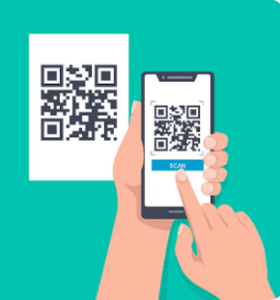
If you can’t scan the code, tap Enter Code Manually and follow the instructions.
Future Sign-Ins
Each time you log in you will need to:
- Enter your email and password.
- Open the Microsoft Authenticator app.
- Tap your ISD account.
- Enter the 6-digit code shown in the app.